Can You Sleep With a TENS Unit On? Why the Manual Says No
What do the device instructions prohibit?
When dealing with persistent muscle tension or joint discomfort at the end of a long day, it can be tempting to leave a transcutaneous electrical nerve stimulation (TENS) unit running as you drift off to sleep. However, the instruction manual for the EM49 strictly prohibits using a TENS device while asleep[1]. The NHS reinforces this warning, advising that TENS should never be used while you sleep, when driving, or when using tools or machinery[2].
The primary reason for this strict restriction is user awareness. A TENS unit delivers gentle electrical impulses through adhesive gel pads to stimulate sensory nerves. For safe operation, you must remain fully conscious and alert to monitor how your body responds to that electrical current. While you are awake, you can instantly tell if an electrode loosens, if the intensity feels uncomfortably sharp, or if sudden muscle twitching occurs.
Safety risks of unattended night-time stimulation
Sleeping through a stimulation session removes your ability to react to changes in sensation, electrode contact, or body position. Shifting in bed can compress the lead wires or cause the adhesive pads to partially peel away, concentrating the electrical current into a smaller surface area.
·Unmonitored intensity changes: Shifting during sleep can press electrodes firmly against the mattress or dislodge them, leading to unexpected stinging or localized skin irritation.
·Loss of sensation feedback: Sleep prevents you from noticing sudden muscle cramping or overstimulation that would prompt an awake user to lower the output level.
·Tangled lead wires: Normal movement during the night can pull on cables, dislodging the pads or damaging the device connection ports.
·Prolonged skin exposure: Leaving adhesive gel pads under pressure on the skin overnight can cause redness, adhesive sensitivity, or superficial skin irritation.
Does automatic shutoff change that answer?
Many modern electrostimulation units include an automatic shutoff function or a programmable session timer, which raises the question of whether setting a 15-minute or 30-minute timer makes it acceptable to fall asleep with the device attached. The short answer is no: an automatic timer does not override the fundamental safety prohibition against sleeping during stimulation[1].
An automatic shutoff feature is engineered as a control mechanism to preserve battery life and prevent the unit from running indefinitely if left unattended. The risks associated with electrode movement, skin irritation, and unexpected muscle contractions exist from the moment you lose consciousness, even during a brief 10-minute window.
Understanding device control features versus safety rules
To understand why safety rules remain firm regardless of hardware features, it helps to distinguish between routine device management settings and essential operating warnings.
Device Feature
Intended Engineering Purpose
Why It Does Not Allow Sleeping Use
Automatic Shutoff
Powers down the device after a period of inactivity or at the end of a preset cycle to conserve battery life.
Does not prevent pad displacement, accidental pressure, or intense tingling while you are asleep.
Keylock Function
Locks the interface buttons to prevent unintentional setting adjustments if bumped.
Prevents button presses, but cannot monitor your subjective comfort or skin response.
Adjustable Session Timer
Allows users to set structured therapy windows between 5 and 100 minutes during daytime rest.
Even a short timed window carries risk if the user is asleep and unable to stop the session if discomfort arises.
How should you plan an awake session?
Rather than attempting to use electrostimulation in bed, the most effective approach is to build structured, fully awake sessions into your daily routine. Completing your therapy in the evening while relaxing on a couch, reading a book, or watching television allows you to enjoy the soothing tingling sensation while remaining attentive to your comfort.
Always refer directly to your specific device instruction manual and consult a qualified healthcare professional to establish a routine that matches your wellness goals. Do not guess or invent arbitrary session lengths. Devices are engineered with specific program parameters, and your clinician can advise you on the ideal frequency and duration for your situation.
Steps for a safe daytime or evening routine
Setting up an awake session takes only a couple of minutes and ensures proper contact and comfortable stimulation.
·Prepare your skin: Wash and dry the application site thoroughly. Clean skin free of oils, lotions, and sweat ensures solid adhesion for the gel pads.
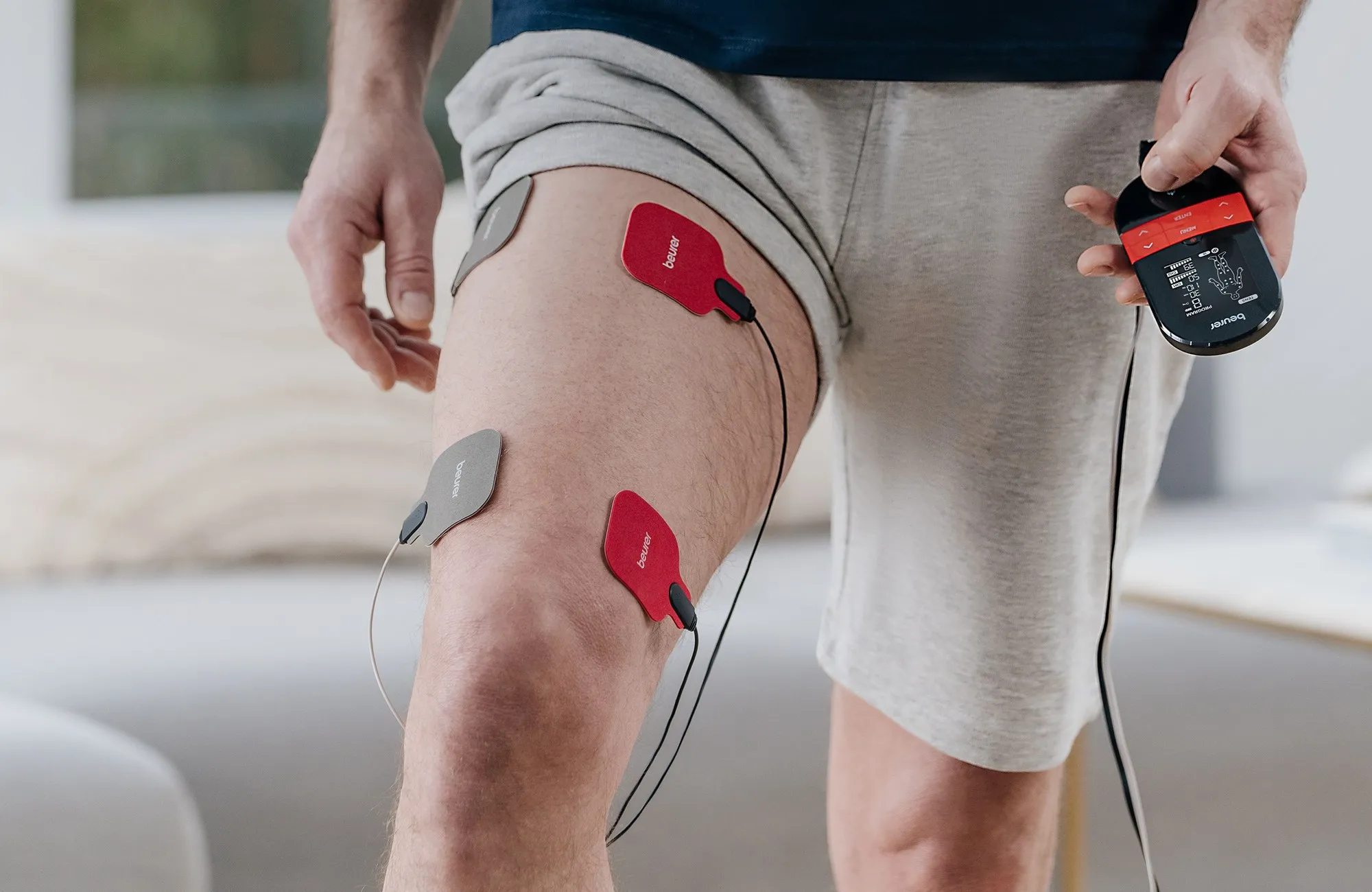
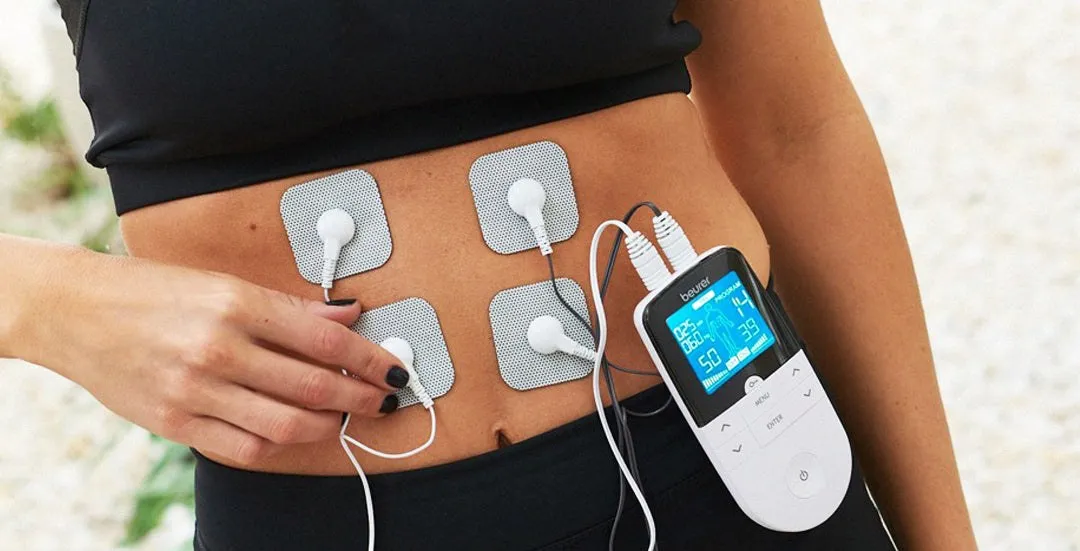
·Position the electrodes: Place the adhesive pads on the target area while the unit is completely turned off, leaving adequate space between them as shown in your device manual.
·Select a seated posture: Sit or recline comfortably so you can relax without shifting your body weight onto the electrodes.
·Turn on and adjust gradually: Power on the unit and slowly raise the intensity from zero until you feel a gentle, pleasant tingling sensation. It should never feel painful.
·Conclude and remove: When the session ends, power down the unit before peeling the electrodes from your skin. Return the pads to their protective plastic film.
Ending your session before you begin your bedtime routine lets you wind down for sleep without any attached cables or adhesive pads.
Placement rules that apply to every awake session
·Neck, mouth, or eyes: The NHS advises never placing TENS pads on these areas[2].
·Chest and back at the same time: The NHS advises against simultaneous chest-and-back placement[2].
·Irritated, broken, infected, or numb skin: The NHS advises not using TENS on damaged or numb skin[2].
The NHS also advises that if your skin becomes itchy, irritated, or red, you should turn off the machine and remove the pads[2]. Checking your skin this way is only possible when you are awake and attentive.
Finding the right TENS device for your daytime routine
When selecting an at-home electrostimulation device, everyday wellness purchasers benefit most from intuitive controls, versatile programming, and reliable safety mechanisms. As a German company, family-owned since 1919, Beurer has dedicated over 100 years of trusted innovation to delivering quality and reliability that help people manage their daily well-being with confidence.
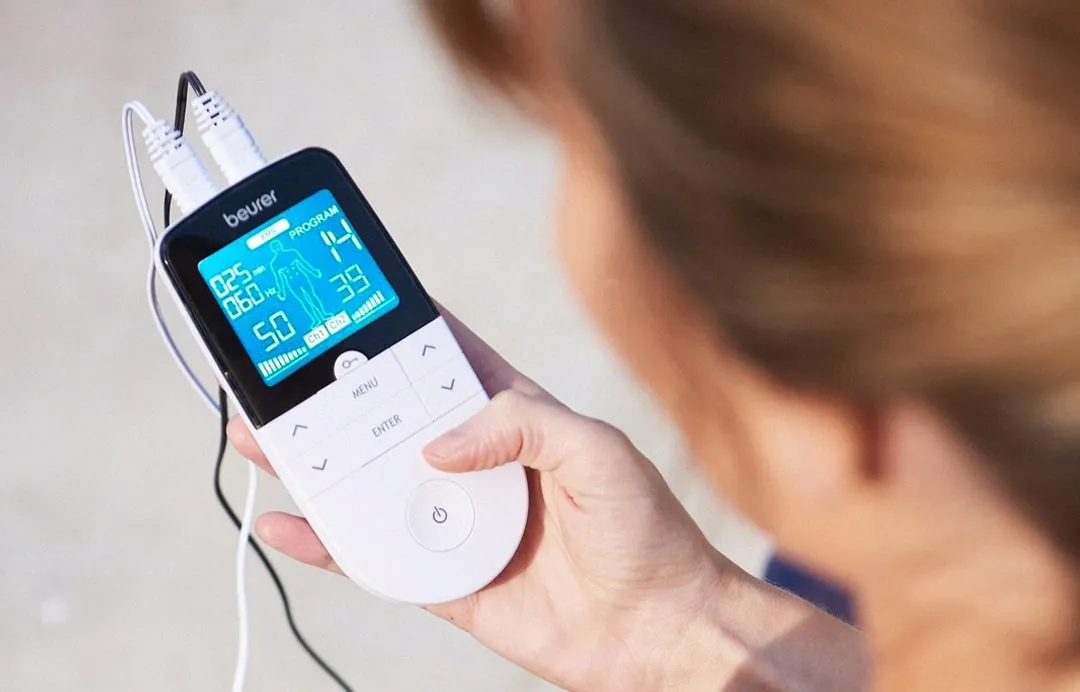
A dependable option for home pain management and muscle conditioning is Beurer EM49 Digital EMS & TENS Device + 35 EMS Programs for Drug-Free Pain Relief. This versatile 2-in-1 unit combines 15 dedicated TENS programs for soothing nerve stimulation with 35 EMS programs designed to complement muscle recovery and relaxation, for a total of 50 programs, plus 6 additional customizable program slots, for $59.99[3].
Dual channels and tailored daytime comfort
Equipped with two independent channels, the unit allows you to adjust the intensity separately across four reusable adhesive gel pads, targeting multiple muscle groups such as the lower back and shoulders at the same time. The illuminated blue LCD screen provides clear visibility of session parameters, while the Doctor's Function offers a convenient memory setting that recalls your preferred routine for seamless daytime use.
·Dual-channel customization: Set different intensity levels (from 0 to 50) for two distinct body areas simultaneously.
·Preset and customizable programs: Choose from 15 TENS modes and 35 EMS modes, or tailor one of the 6 customizable slots to your clinician's guidance.
·Convenient battery operation: Powered by three standard AAA batteries, weighing just 0.25 pounds for easy use around the home or office.
·Integrated keylock and timer: Lock settings during relaxation and program sessions between 5 and 100 minutes.
Remember to always confirm the sleep restriction before beginning a session: use your device while comfortably awake and relaxed, follow the session durations your device manual and clinician recommend, and consult your healthcare provider to support a healthy lifestyle.
Frequently asked questions
Can you sleep with a TENS unit on?
No. Device manuals and health authorities like the NHS explicitly advise against using a TENS machine while you are asleep. You must remain awake to monitor the device and safely manage any unexpected muscle contractions.
Does an automatic timer mean I can sleep during TENS therapy?
No. An automatic shutoff timer is a standard safety and control feature designed to power down the device after a period of inactivity. It does not override the explicit manual instruction prohibiting use while sleeping.
What is the difference between TENS and EMS?
TENS uses low-voltage electrical current to target sensory nerves for drug-free pain relief. EMS the device is designed to be used to stimulate healthy muscles in order to improve and facilitate muscle performance.
Does a TENS unit actually work for chronic pain?
The clinical evidence for TENS is mixed. While many people experience temporary relief from everyday muscular discomfort, it is not a guaranteed treatment or cure for chronic pain.
Who should not use a TENS unit?
The NHS advises that you should not use TENS if you have epilepsy, a pacemaker, or are pregnant unless your doctor or midwife tells you to. Always consult your healthcare professional and refer to your device manual for the complete list of contraindications.
Where should you not place TENS pads?
The NHS advises never placing TENS pads on the neck, mouth, or eyes, and never on the chest and back at the same time. Improper placement can increase the risk of severe complications, including cardiac issues.
Is the Beurer EM49 FSA or HSA eligible?
The Beurer EM49 Digital EMS & TENS Device + 35 EMS Programs for Drug-Free Pain Relief may be FSA or HSA eligible. Check with your specific plan administrator to confirm whether your purchase qualifies for reimbursement.
TENS devices offer a drug-free way to temporarily ease muscle aches. However, this comfort is a symptom management tool, not a cure, and feeling better during a session does not mean the underlying tissue has healed.
TENS targets sensory nerves for temporary pain relief, while EMS triggers muscle contractions for conditioning. Understanding the difference helps you choose the right function for your soreness and safely set up a combined device.
A safe first TENS session comes down to order of operations: check suitability and skin, connect both pads of a channel with the device off, then start at zero intensity and increase slowly. This checklist walks through each step, who should skip TENS entirely, and how to finish and care for your…

 Targeted Pain Relief
 Health Monitoring
 Bye-Bye Itch
 Rest, Relax, Recharge
 Skin Rejuvenation
 Seasonal Relief
 Muscle Relaxation
 Brighten Your Mood
 Kids Wellness & Baby Care
 Fitness Tracking
 Beauty Care
 Feminine Care